Now Available

Track every subscription.
Personal & Enterprise.

SubExpense keeps all your subscriptions in one place -- for you and your team. Get smart insights, manage company expenses, track receipts, and control budgets across your entire organization.

SubExpense Home Screen

Everything you need to manage
subscriptions & expenses

Powerful tools for individuals and teams, wrapped in a beautiful, intuitive interface.

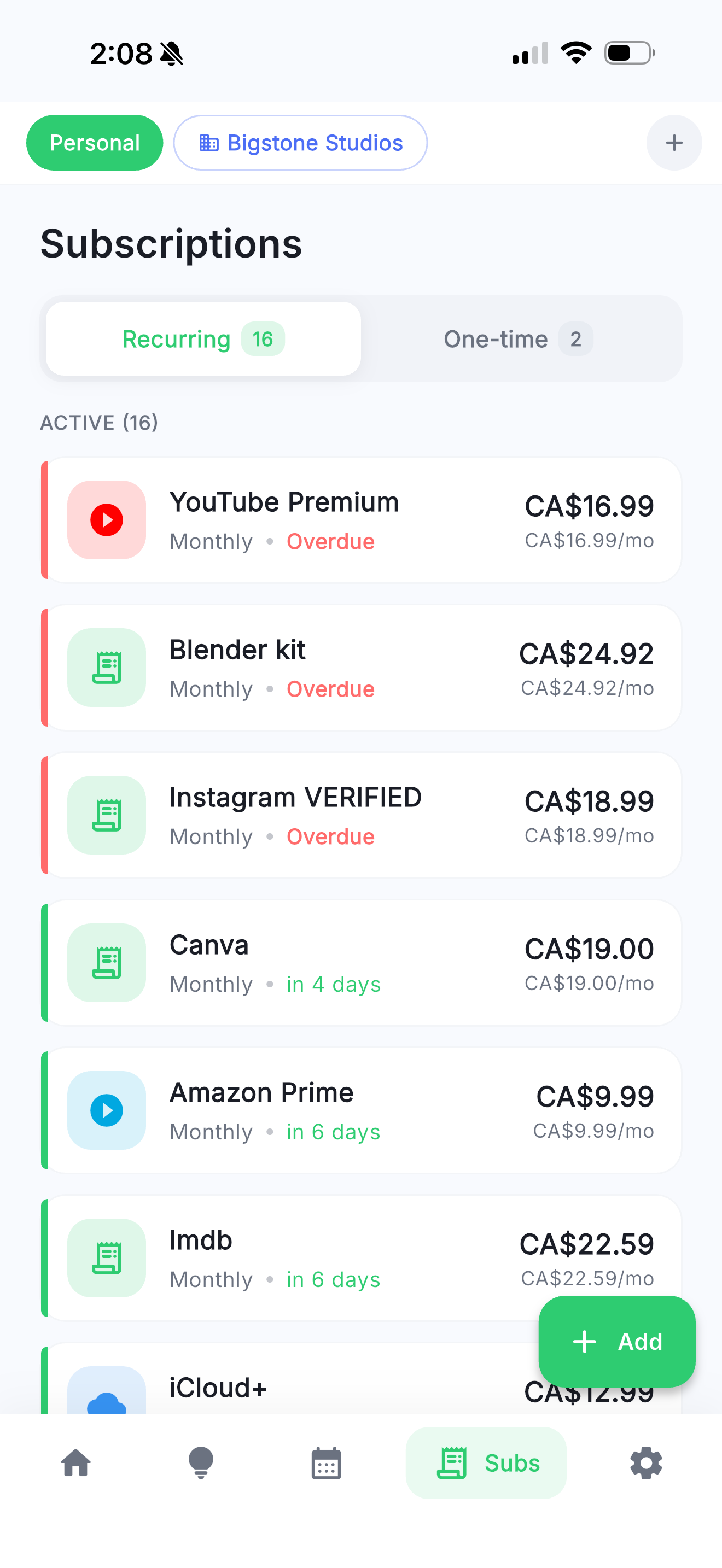
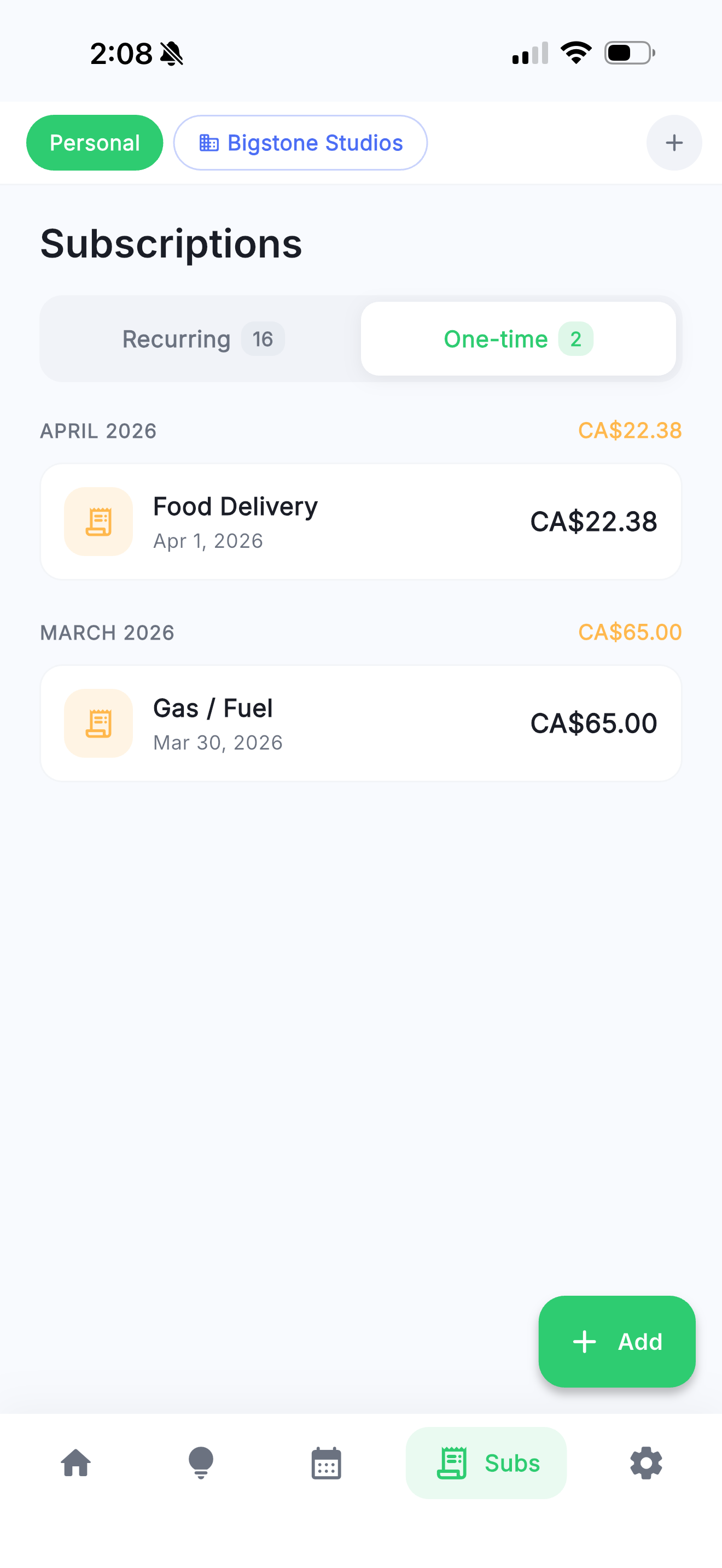
Smart Tracking

Choose from 140+ preset subscriptions or add your own custom entries. Every recurring charge, captured effortlessly.

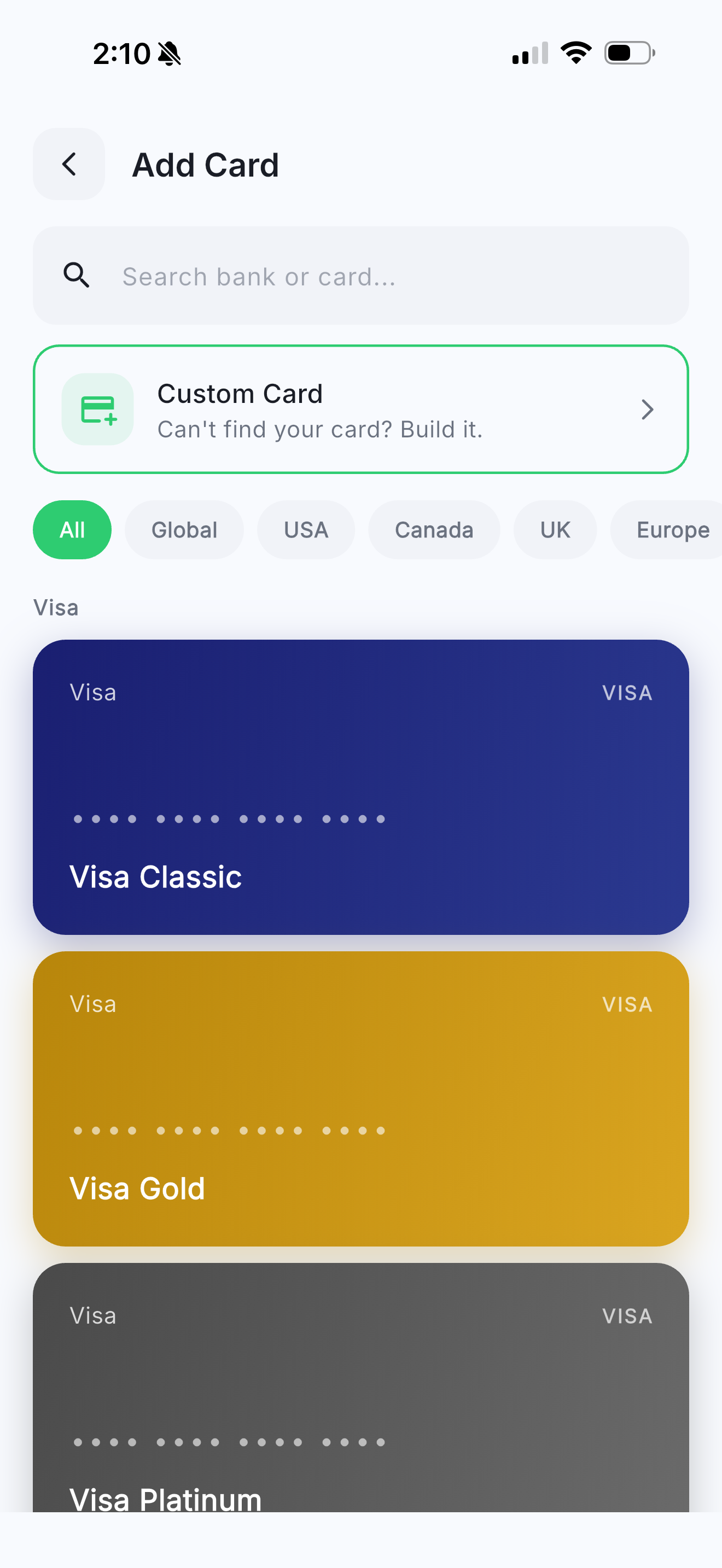
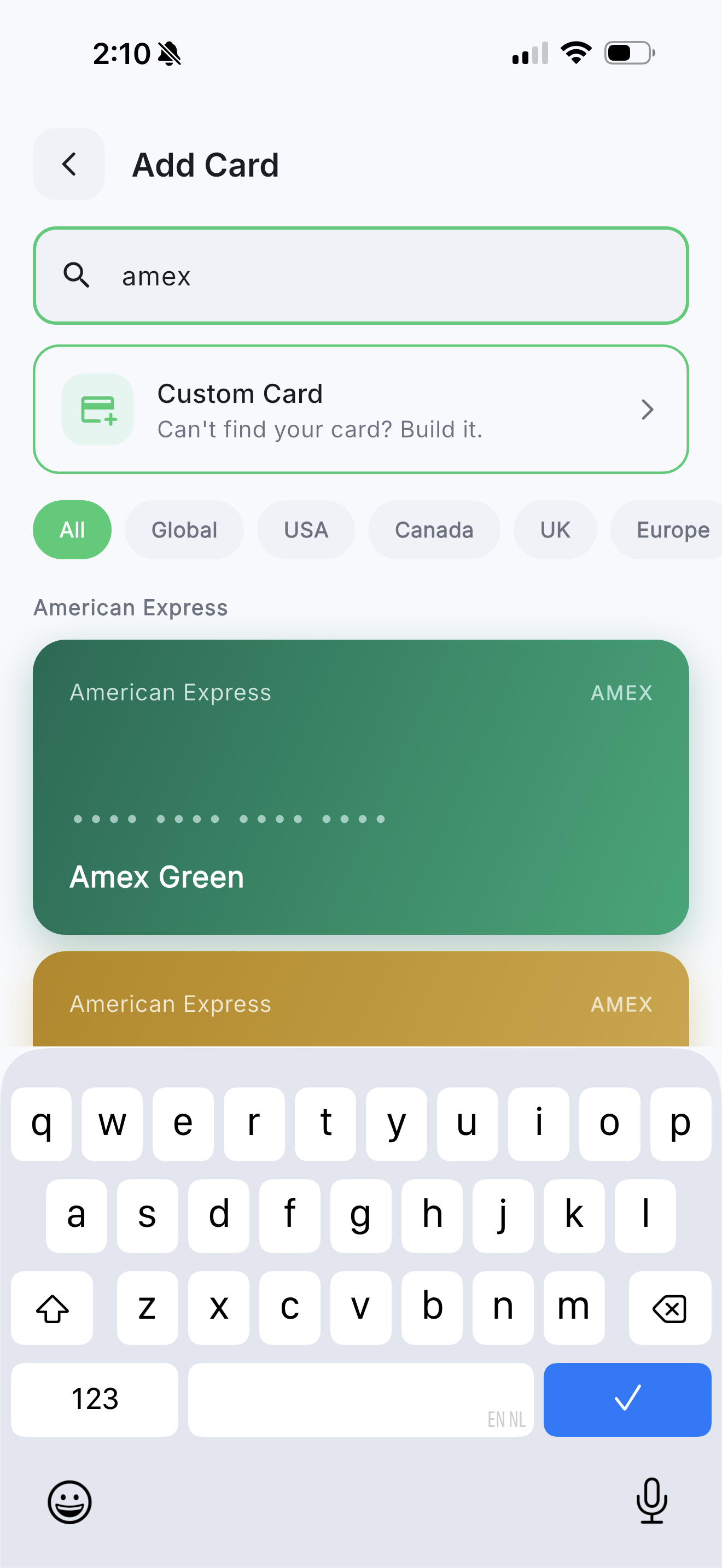
Payment Card Tracking

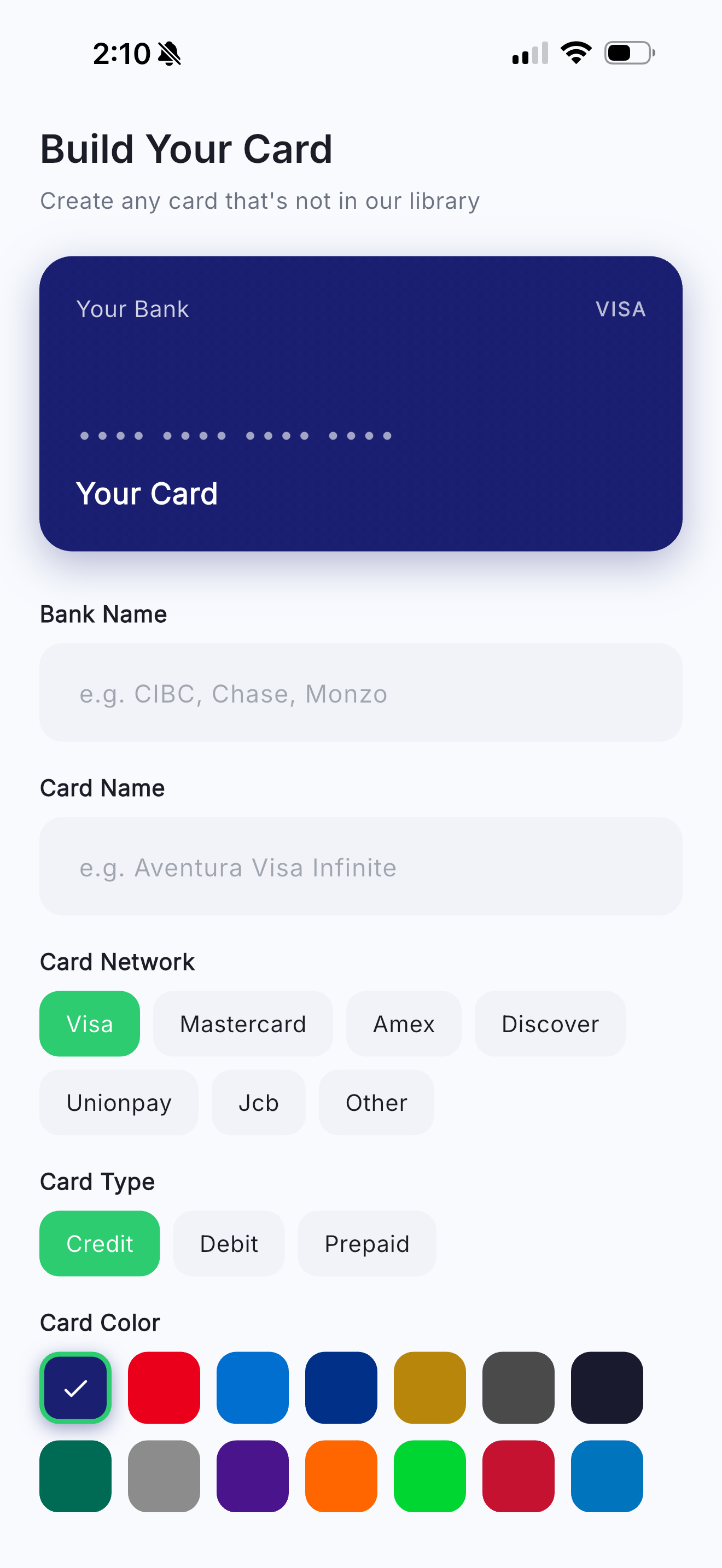
140+ preset cards with real bank designs. Build custom cards, track personal and company payment methods in one place.

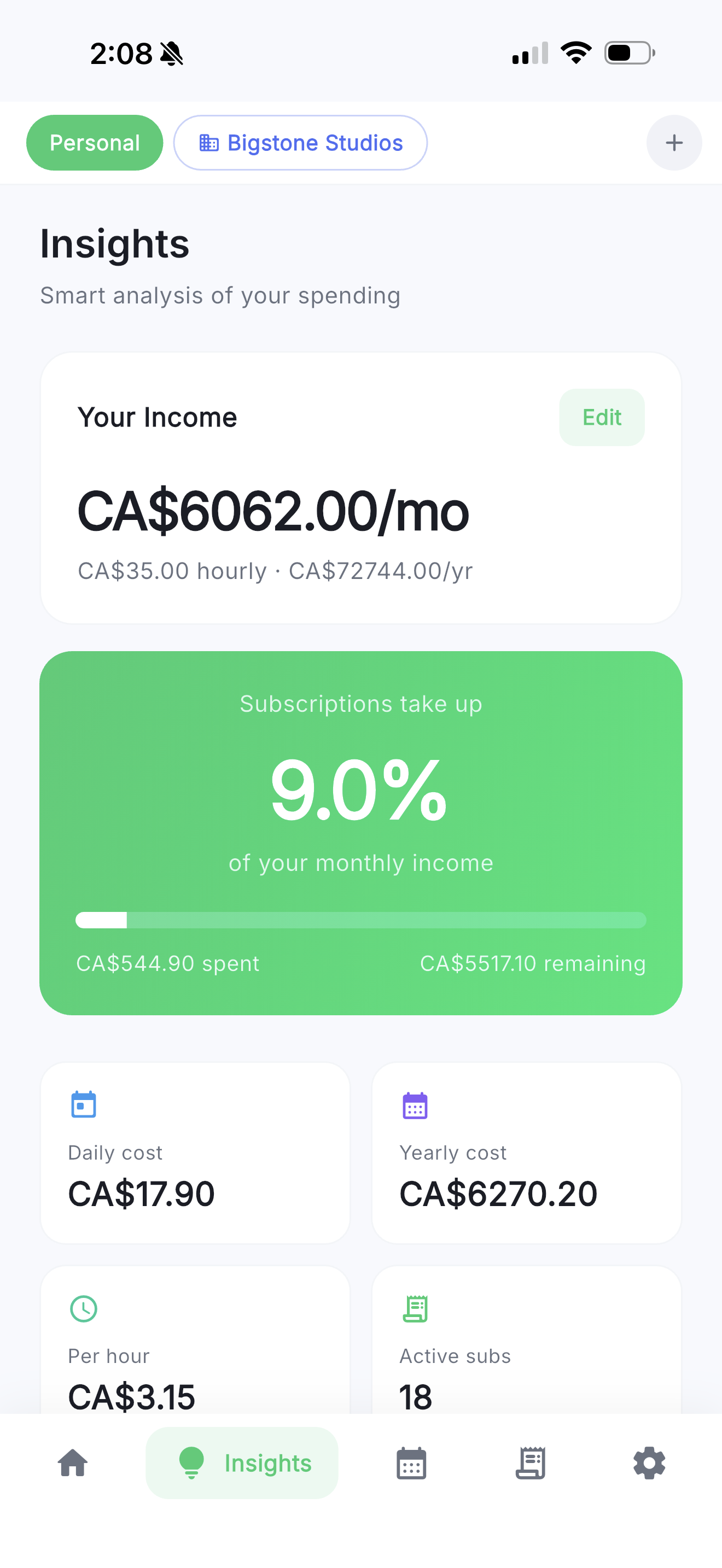
Spending Insights

See how subscriptions stack up against your income. Get smart tips and visual breakdowns to optimize spending.

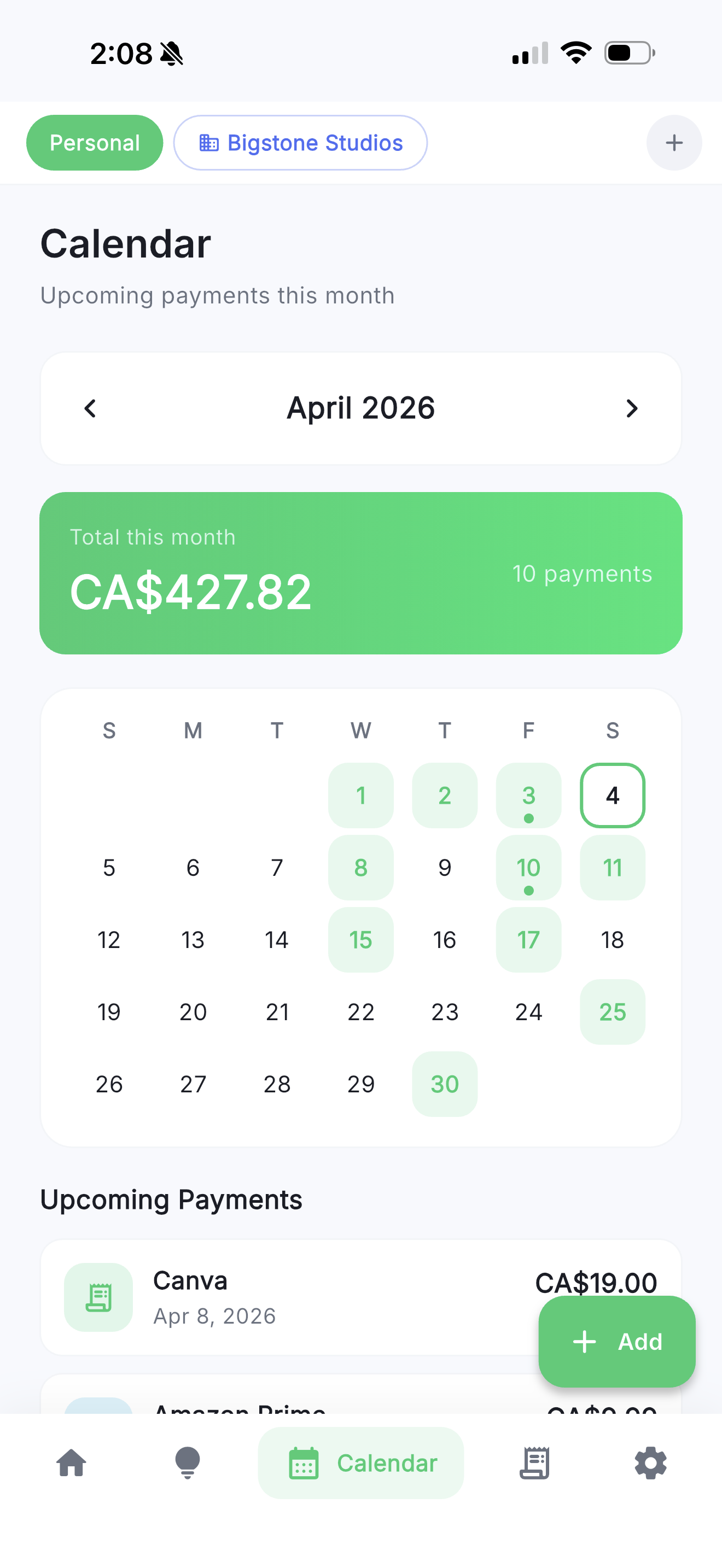
Calendar View

Visualize upcoming payments on an interactive calendar. Know exactly when every charge hits your account.

Inline Currency Converter

Convert between currencies right when adding expenses. Perfect for international subscriptions and travel charges.

Receipts & Reimbursement Teams

Attach receipt photos, mark expenses as reimbursable, submit for approval, and export as ZIP with PDF reports.

Notifications

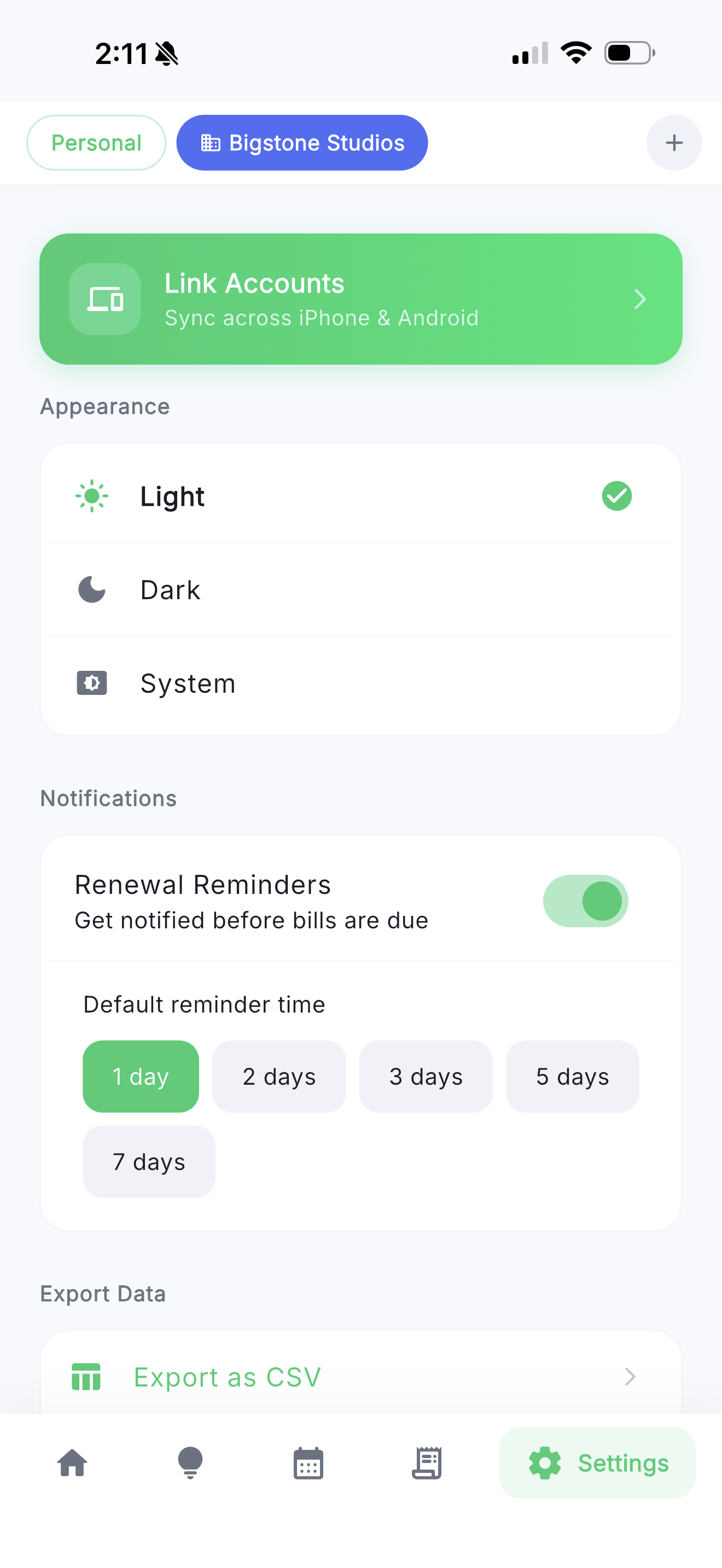
Persistent reminders 2 days before every renewal. Never be caught off guard by a surprise charge again.

Dark Mode

Beautiful light and dark themes that adapt to your preference. Easy on the eyes, day or night.

Export Data

Download your data as CSV, PDF reports, or ZIP archives with receipts. Perfect for budgeting, tax prep, or sharing.

Company expense management,
built right in

Create a company profile, invite your team, and manage subscriptions and expenses across your entire organization -- all from the same app.

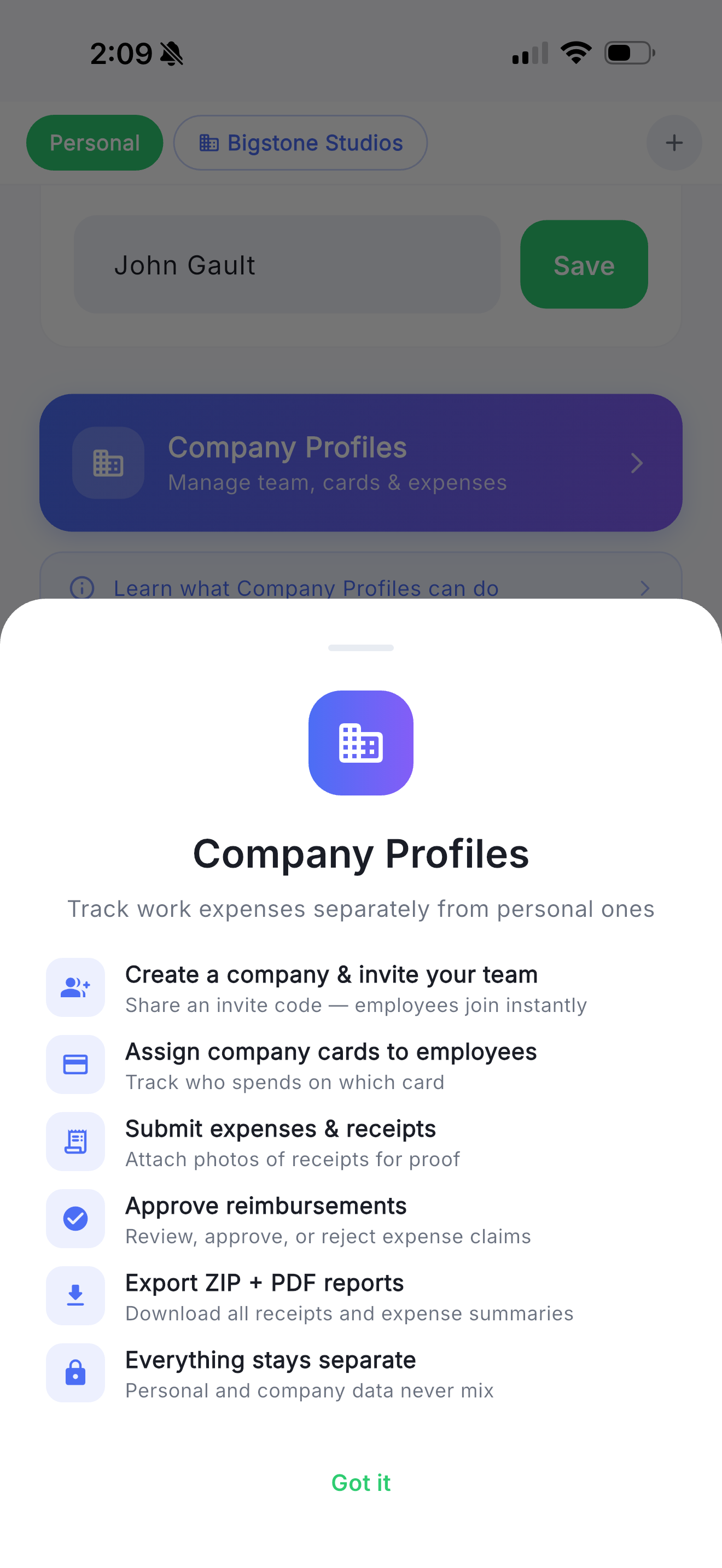
  • Company Profiles

    Create or join a company. Keep personal and work expenses completely separate with dedicated views for each.

  • Team Invitations

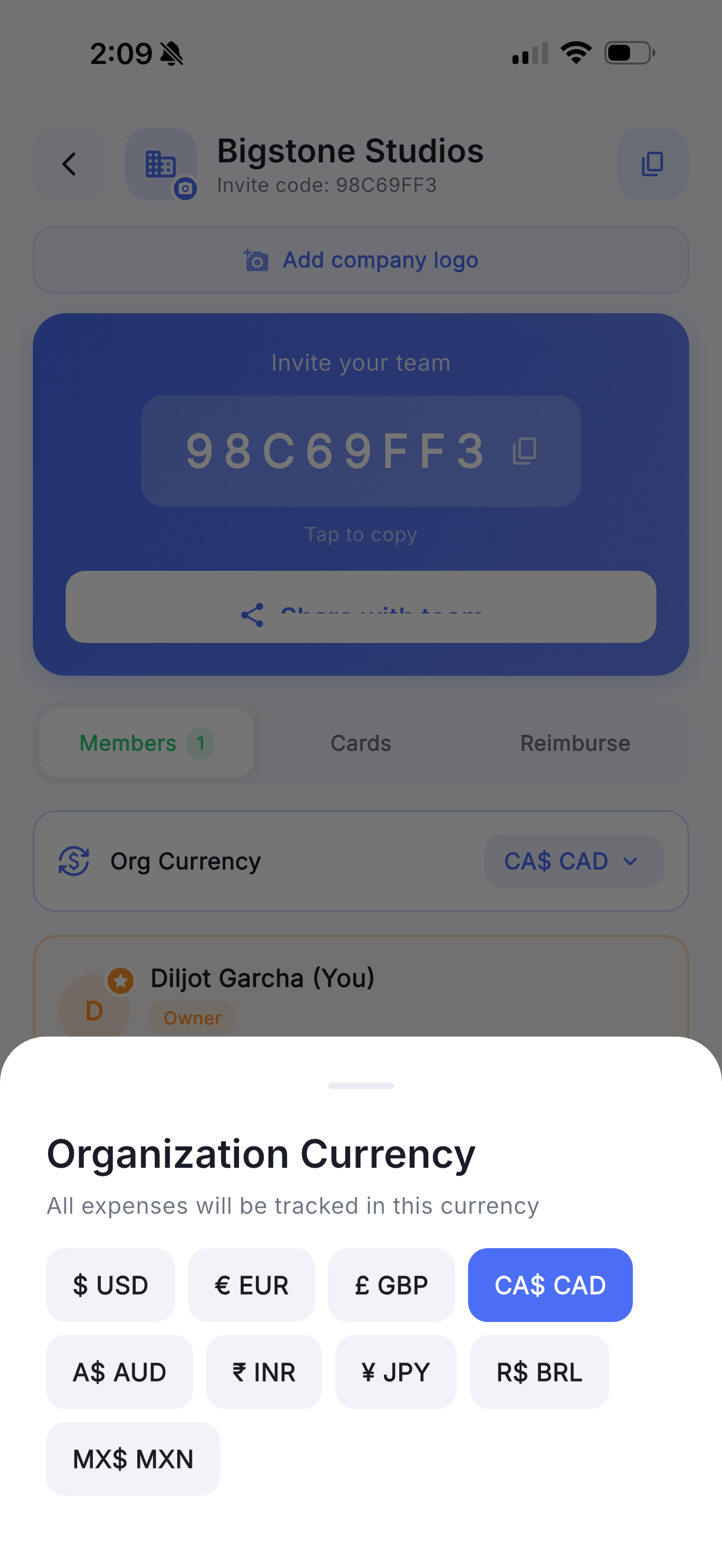
    Invite team members via a unique company code. New members join instantly with the right role and permissions.

  • Card Assignment

    Assign company payment cards to specific employees. Track who is spending on which card with full visibility.

  • Per-Employee Budgets

    Admins set spending budgets for each employee. Get automatic warnings when anyone goes over budget.

  • Reimbursement Workflow

    Employees submit expenses with receipts for reimbursement. Admins approve or reject with a single tap.

Organization Management

Full control over your company profile. Upload your logo, manage members, and set roles for everyone on the team.

Owner Admin Member Viewer

Receipt Attachments

Attach photos of receipts to any expense. All receipts are stored securely and can be exported as a ZIP archive alongside PDF reports for accounting.

Company Cards

Add company payment cards using 140+ real bank card presets or build a custom one. Assign cards to employees and see spending per card at a glance.

Dashboard

Your finances at a glance

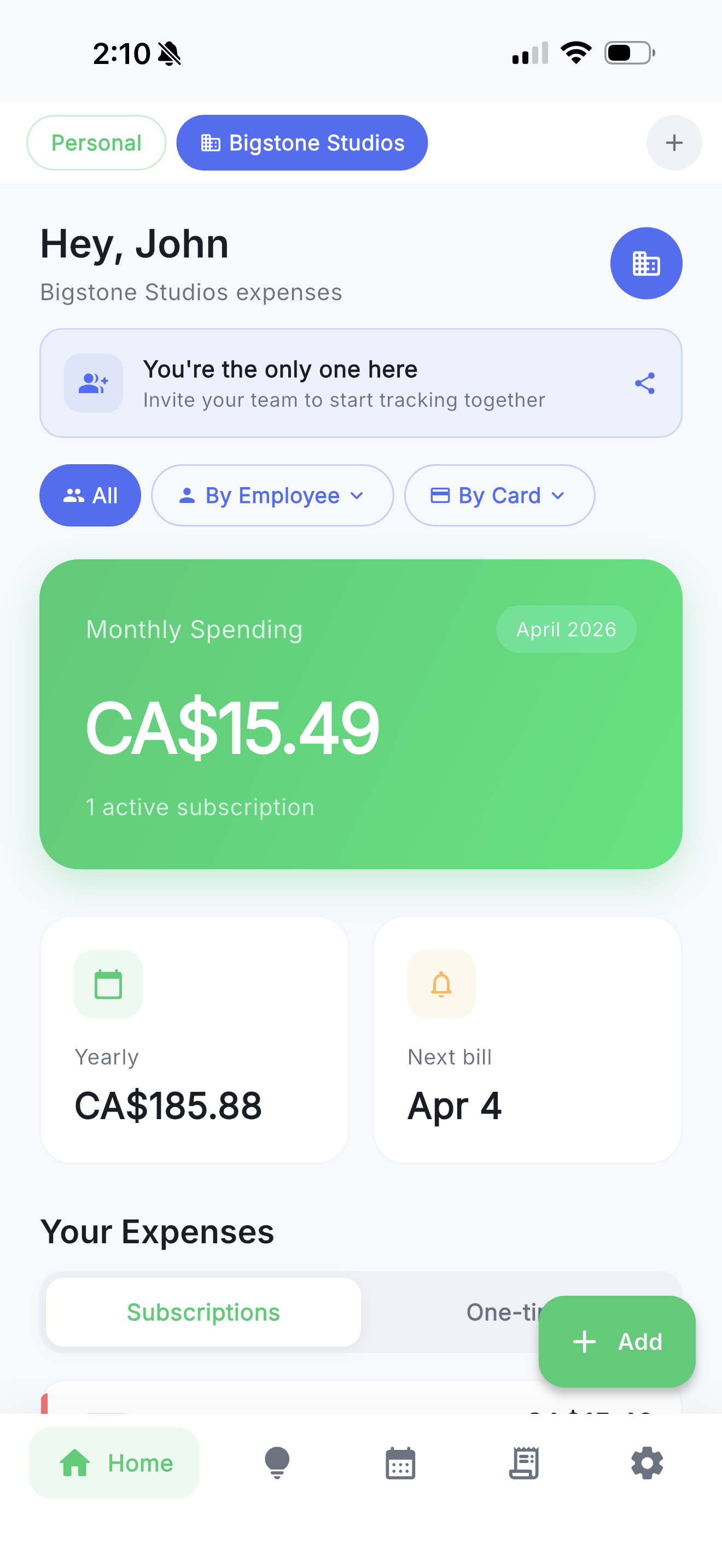
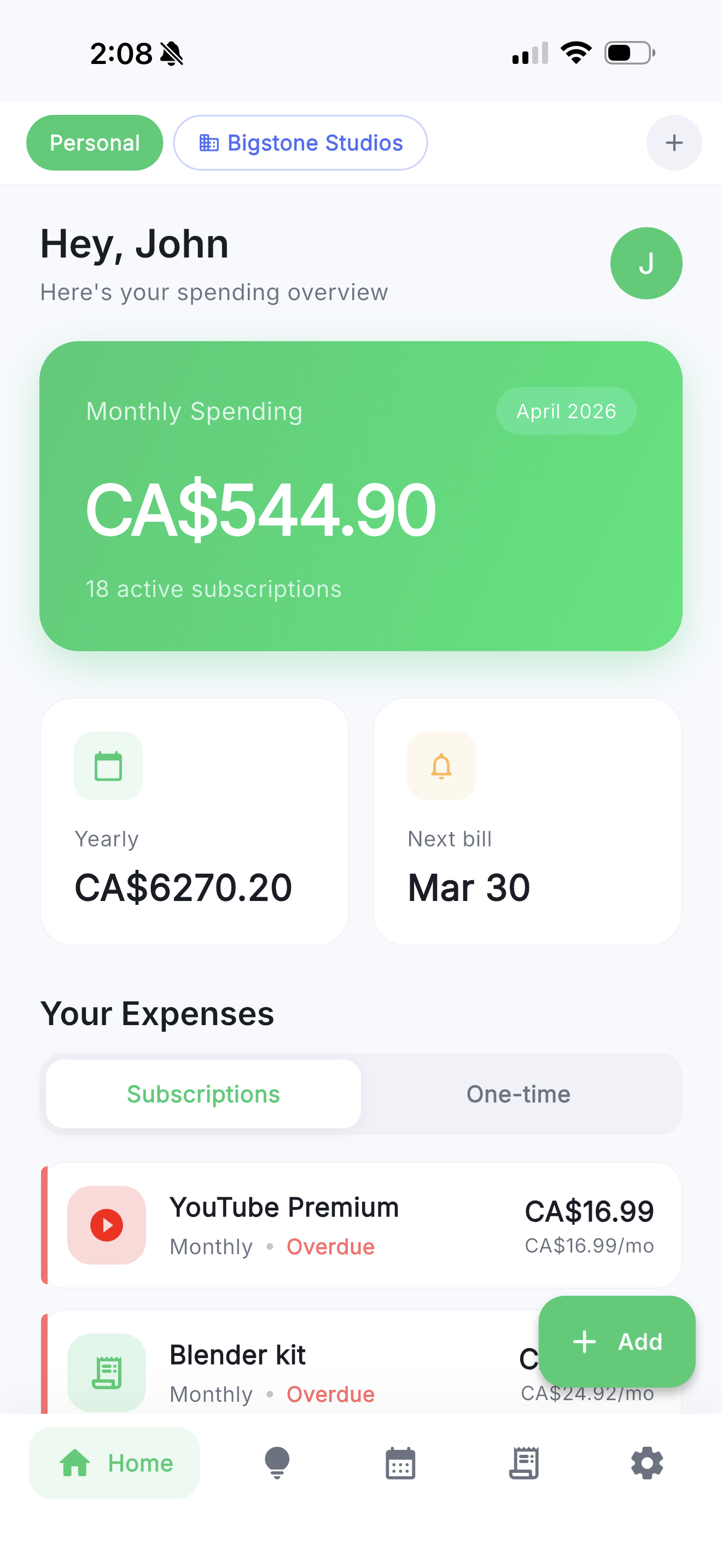
See your total monthly and yearly spending the moment you open the app. Track 18+ active subscriptions, see when your next bill is due, and switch between personal and company profiles with one tap.

  • ✓   Monthly and yearly totals updated in real-time
  • ✓   Next billing date countdown
  • ✓   Quick switch between Personal and Company profiles

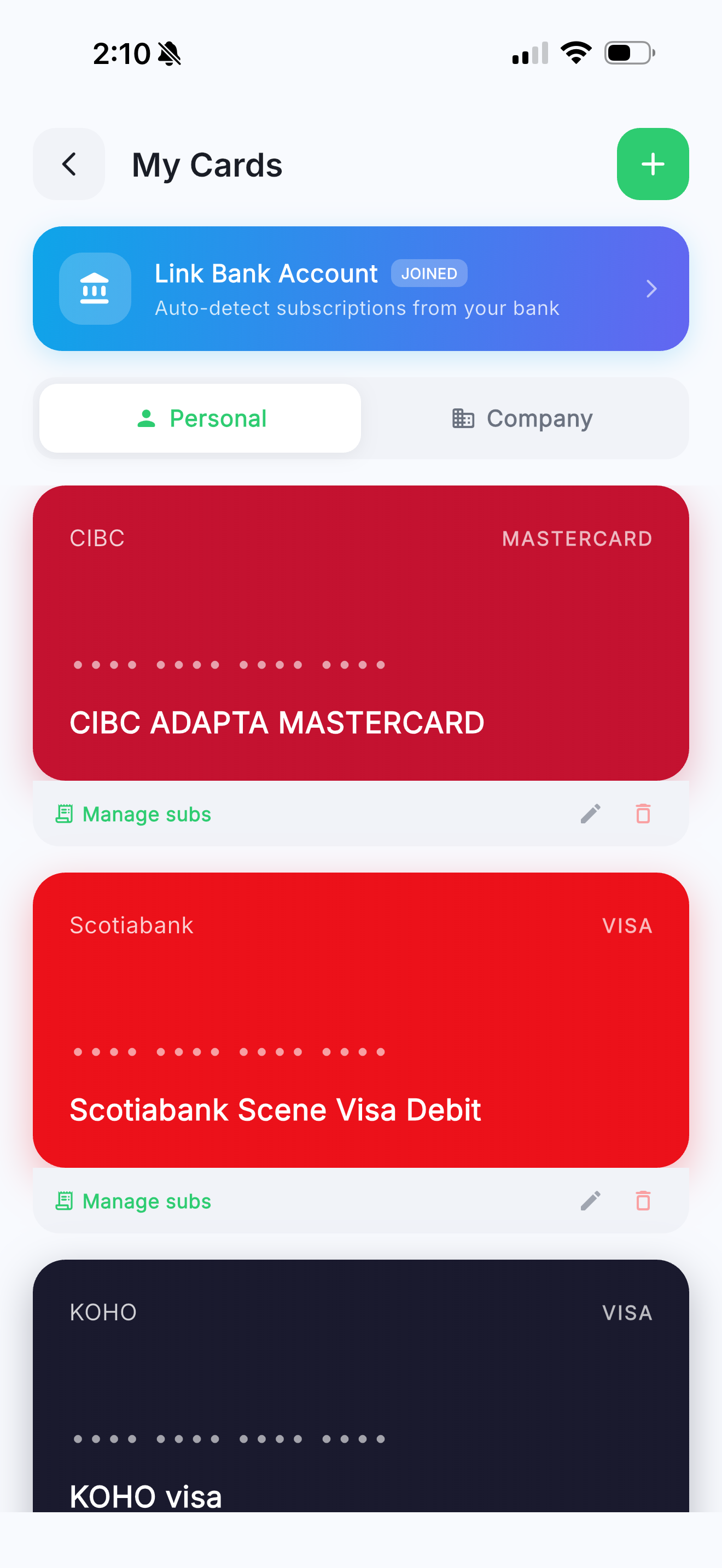
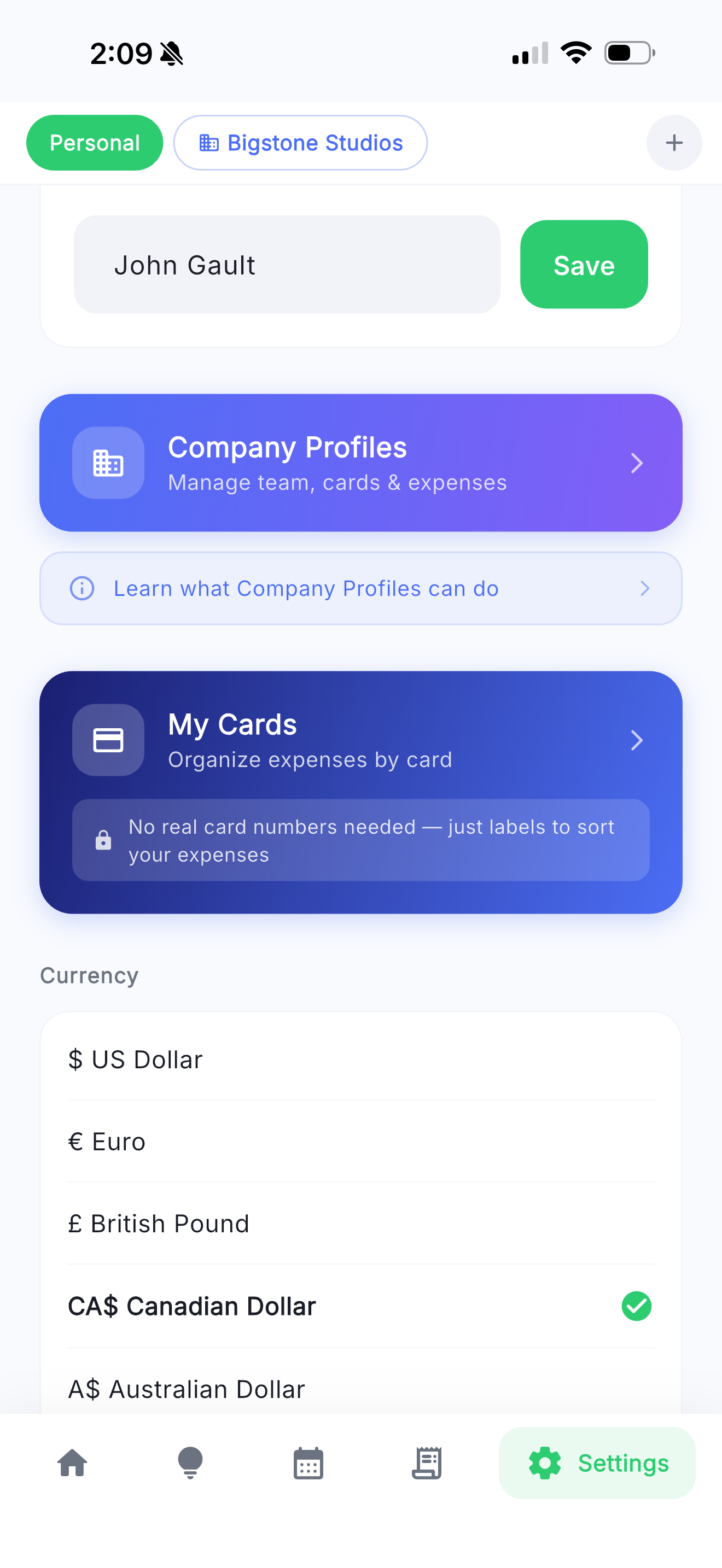
Track which card pays for what

Add your cards from a library of 140+ presets — Visa, Mastercard, Amex from banks worldwide. Or build a custom card in seconds. Tag each subscription to a card so you always know which account is being charged.

  • ✓   140+ preset cards with real bank colors and designs
  • ✓   Custom card builder — any bank, any color
  • ✓   No real card numbers needed — just labels to organize
My Cards
Insights

Know exactly where your money goes

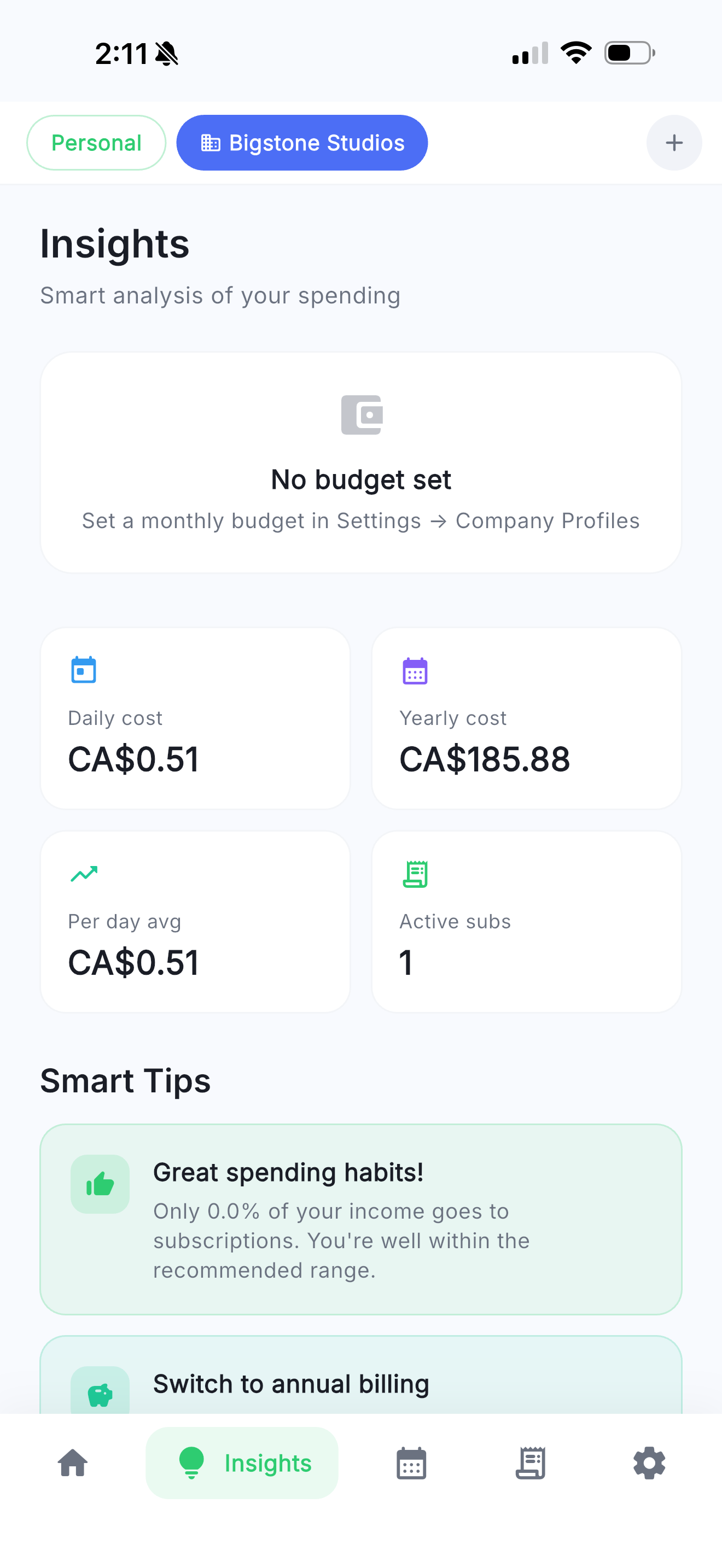
See what percentage of your income goes to subscriptions. Get daily, yearly, and per-hour cost breakdowns. Receive smart tips like switching to annual billing to save money.

  • ✓   Income vs. subscription percentage gauge
  • ✓   Daily, yearly, and per-hour cost breakdown
  • ✓   AI-powered smart tips to optimize spending

Manage company expenses together

Create a company profile, invite your team with an invite code, and track work expenses separately. Assign company cards to employees, set per-person budgets, and filter expenses by employee or card.

  • ✓   Invite team with a shareable code
  • ✓   Filter by employee or company card
  • ✓   Per-employee budgets with over-budget warnings
  • ✓   Receipt attachments and reimbursement workflow
Company Dashboard
Calendar

See every payment on a calendar

Visualize when every charge hits your account. Green dots mark payment dates. Tap any day to see what's due. Plan ahead so you're never caught off guard.

  • ✓   Monthly calendar with payment indicators
  • ✓   Total spending per month at the top
  • ✓   Upcoming payments listed below the calendar

Three steps to subscription clarity

Getting started takes less than a minute.

1

Add Subscriptions

Pick from 140+ presets or create custom entries. Set the price, billing cycle, and renewal date.

2

Get Insights

Instantly see your total monthly and yearly spending with smart breakdowns and saving tips.

3

Never Miss a Payment

Receive timely notifications before every renewal so you can cancel or budget accordingly.

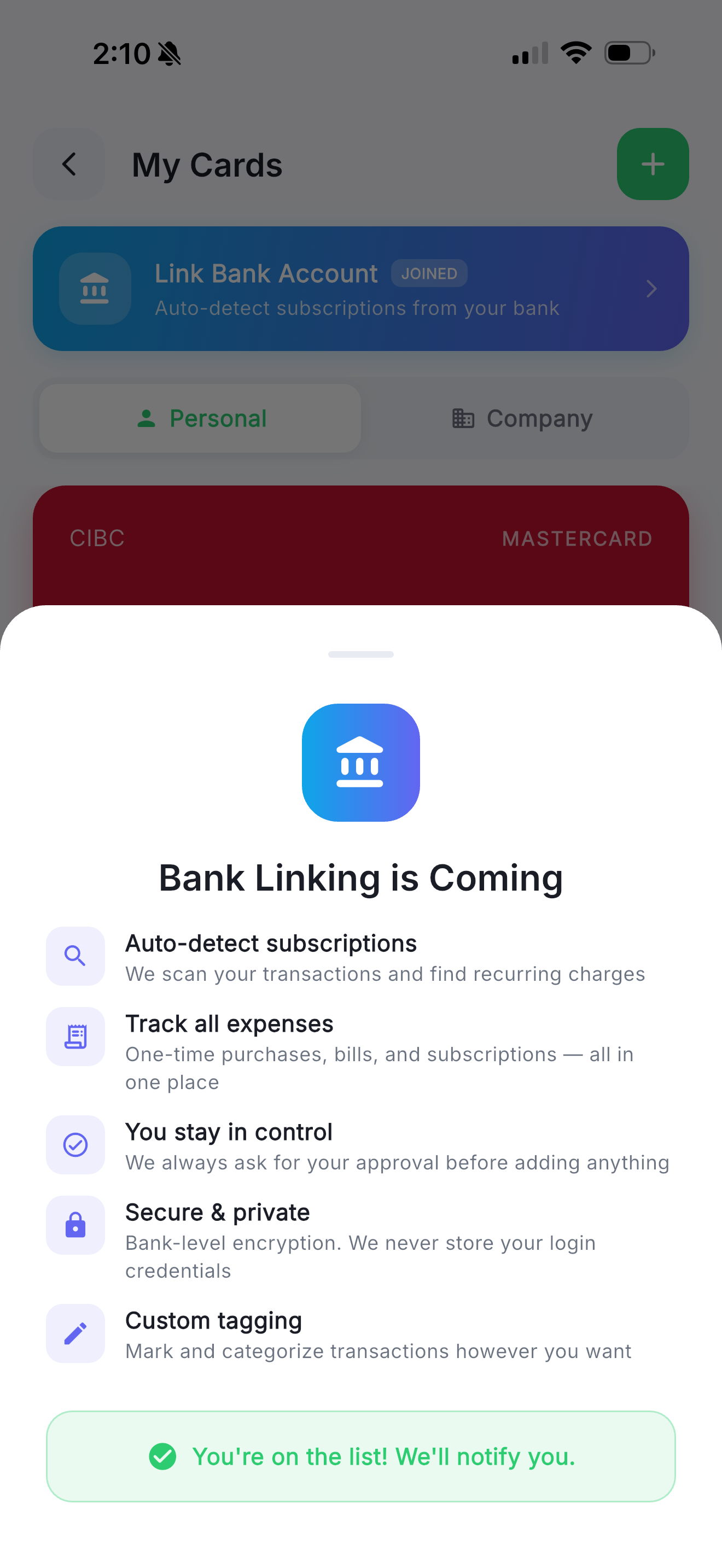
Bank Linking

Connect your bank accounts to automatically detect and import subscriptions from your transactions. No more manual entry.

Auto-detect your subscriptions

We are building direct bank integrations to scan your transactions and surface every recurring charge automatically. Be the first to know when it launches.

Coming Soon -- Stay Tuned

Privacy Policy

Your privacy matters to us. Here is how SubExpense handles your data.

Effective Date: April 3, 2026

SubExpense ("we", "our", or "us") is committed to protecting your privacy. This Privacy Policy explains how we collect, use, and safeguard your information when you use the SubExpense mobile application (the "App").

1. Information We Collect

We may collect the following types of information:

  • Account Information: When you sign in using Google Sign-In, we receive your name, email address, and profile picture from your Google account.
  • Bank Account & Transaction Data (optional): If you choose to link a bank account using Plaid, we receive transaction metadata — merchant name, amount, date, currency, and category — for the accounts you authorize. We also receive non-credential account metadata such as the institution name, account name, account type, and the last four digits of the account number. We never receive your bank login credentials. You can disconnect any linked bank at any time, which immediately revokes our access and deletes the stored data.
  • Subscription & Expense Data: Information you enter about your subscriptions and expenses, including service names, costs, billing cycles, renewal dates, and payment card details.
  • Receipt Data: Photos and images of receipts you attach to expenses for reimbursement or record-keeping purposes.
  • Organization Data: If you create or join a company profile, we collect the company name, company logo, member roles, invite codes, budget settings, card assignments, and reimbursement records associated with the organization.
  • Usage Data: Anonymous analytics about how you interact with the App, such as features used and session duration.
  • Device Information: Device type, operating system version, and unique device identifiers for analytics purposes.

2. How We Use Your Data

We use the information we collect to:

  • Provide, maintain, and improve the App's functionality
  • Sync your subscription and expense data across devices via your account
  • Send you notifications about upcoming subscription renewals
  • Generate spending insights and personalized recommendations
  • Store and display receipt images attached to your expenses
  • Facilitate organization features including team management, reimbursement workflows, budget tracking, and card assignment
  • Analyze usage trends to improve user experience

3. Third-Party Services

SubExpense integrates with the following third-party services:

  • Supabase: We use Supabase as our backend service for authentication, data storage, and receipt image storage. Your subscription data, organization data, and receipt images are stored securely on Supabase servers. Please review Supabase's Privacy Policy.
  • Google Sign-In: We use Google Sign-In for authentication. This service provides us with your basic profile information. Please review Google's Privacy Policy.
  • Plaid: If you choose to connect a bank account, we use Plaid Inc. to securely retrieve your transaction data. We never see, store, or transmit your bank credentials — Plaid authenticates directly with your financial institution and only shares transaction metadata (merchant, amount, date, category) with us. We use this data solely to detect recurring subscriptions and display your spending in the App. Plaid is SOC 2 Type 2 and ISO 27001 certified. You can disconnect any linked bank at any time, which immediately revokes Plaid's access. Please review Plaid's End User Privacy Policy.
  • Anthropic (Claude AI): When you use AI features such as auto-categorization or spending insights, we send a summary of your transaction data (merchant names, amounts, categories) to Anthropic's Claude API for classification. Per Anthropic's API Terms, this data is not used to train their models and is retained only briefly for abuse monitoring. Please review Anthropic's Privacy Policy.

4. Data Storage and Security

Your data is stored securely using Supabase's cloud infrastructure. Receipt images are stored in secure cloud storage buckets with access controls. We implement appropriate technical and organizational measures to protect your personal information against unauthorized access, alteration, disclosure, or destruction. However, no method of electronic storage is 100% secure, and we cannot guarantee absolute security.

5. Organization & Team Data

When you create or join a company profile, certain data is shared within your organization based on member roles:

  • Owners and admins can view all company expenses, receipts, and reimbursement requests
  • Admins can set per-employee budgets and assign company cards to members
  • Members can submit expenses and reimbursement requests visible to admins
  • Viewers have read-only access to company expense summaries

Your personal expenses remain private and are never shared with your organization.

6. Data Sharing

We do not sell your personal information to third parties. SubExpense does not display advertisements. We may share your information only in the following circumstances:

  • With third-party service providers (as described above) to operate the App
  • Within your organization, according to role-based permissions you have accepted
  • When required by law or to respond to legal processes
  • To protect the rights, property, or safety of SubExpense, our users, or the public

7. Data Retention

We retain your data for as long as your account is active or as needed to provide you with the App's services. Receipt images are retained as long as the associated expense exists. If you delete your account, we will delete your personal data, including all receipt images, within 30 days, except where we are required to retain it by law.

8. Children's Privacy

SubExpense is not intended for children under the age of 13. We do not knowingly collect personal information from children under 13. If we become aware that we have collected personal data from a child under 13, we will take steps to delete that information promptly.

9. Changes to This Privacy Policy

We may update this Privacy Policy from time to time. We will notify you of any changes by posting the new Privacy Policy within the App and updating the "Effective Date" at the top. Your continued use of the App after any changes constitutes your acceptance of the updated Privacy Policy.

10. Contact Us

If you have any questions or concerns about this Privacy Policy or our data practices, please contact us at:

subexpense.app@gmail.com

Terms of Use

By using SubExpense, you agree to the following terms.

Effective Date: April 15, 2026

These Terms of Use ("Terms") govern your use of the SubExpense application ("App") provided by Big Stone Studios ("we", "us", or "our"). By downloading, installing, or using the App, you agree to these Terms.

1. Use of the App

SubExpense is a subscription and recurring expense tracking application. You may use the App for personal and business expense tracking purposes. You must be at least 13 years old to use the App.

2. Account

You are responsible for maintaining the confidentiality of your account credentials. You agree to provide accurate information when creating your account and to keep it up to date.

3. Subscriptions & Payments

SubExpense offers optional auto-renewable subscriptions ("SubExpense Pro") that unlock additional features.

  • Billing: Payment is charged to your Apple ID account at confirmation of purchase.
  • Renewal: Subscriptions automatically renew unless cancelled at least 24 hours before the end of the current billing period.
  • Management: You can manage or cancel your subscription in your Apple ID account settings.
  • Plans: Monthly and yearly plans are available. Prices are displayed in the App before purchase and may vary by region.
  • Free trial: If offered, the free trial period is specified at the time of subscription. Any unused portion of a free trial is forfeited when you purchase a subscription.

4. User Content

You retain ownership of all data you enter into the App, including subscriptions, expenses, receipts, and notes. We do not claim any ownership over your content.

5. Acceptable Use

You agree not to:

  • Use the App for any illegal purpose
  • Attempt to reverse engineer, modify, or tamper with the App
  • Interfere with the App's operation or other users' access
  • Upload harmful, offensive, or inappropriate content

6. Company Profiles (Pro Feature)

Pro subscribers can create company profiles and invite team members. As a company owner or admin, you are responsible for managing your team's access and the data shared within your organization.

7. Intellectual Property

The App, including its design, code, and content (excluding user data), is owned by Big Stone Studios and protected by intellectual property laws. You are granted a limited, non-exclusive license to use the App for its intended purpose.

8. Disclaimer of Warranties

The App is provided "as is" without warranties of any kind. We do not guarantee that the App will be uninterrupted, error-free, or that it will meet your specific requirements. SubExpense is a tracking tool and does not provide financial, tax, or legal advice.

9. Limitation of Liability

To the maximum extent permitted by law, Big Stone Studios shall not be liable for any indirect, incidental, special, or consequential damages arising from your use of the App, including but not limited to missed payment reminders, data loss, or inaccurate expense calculations.

10. Termination

We reserve the right to suspend or terminate your access to the App if you violate these Terms. You may stop using the App and delete your account at any time.

11. Changes to These Terms

We may update these Terms from time to time. Continued use of the App after changes constitutes acceptance of the updated Terms. We will notify users of significant changes.

12. Governing Law

These Terms are governed by the laws of Canada, without regard to conflict of law provisions.

13. Contact Us

If you have questions about these Terms, contact us at:

subexpense.app@gmail.com
Delete Your Account

We respect your right to control your data. You can request complete deletion of your SubExpense account and all associated data.

What gets deleted

  • ✓   Your profile and account information
  • ✓   All subscriptions and recurring expenses
  • ✓   Income and spending data
  • ✓   Custom icons and preferences
  • ✓   All receipt images and attachments
  • ✓   Payment card data
  • ✓   Linked account connections
  • ✓   All notification schedules

How to delete your account

Option 1: From the app

Open SubExpense → Settings → scroll to Account → tap "Delete Account". Your account and all data will be permanently deleted.

Option 2: Via email

Send an email to subexpense.app@gmail.com with the subject "Account Deletion Request" and the email address associated with your account. We will process your request within 48 hours.
Note: Account deletion is permanent and cannot be undone. If you are an organization owner, you must transfer ownership or delete the organization before deleting your account. Please export your data before deleting if you want to keep a copy.